Model Railroad Engine Gets A Tiny OLED Rollsign While Showing off Tidy Protoboard Skills

When catching public transport, it’s very helpful if the bus or train in question has a large display indicating the route or destination. While many transit lines now rely on flipdot or LED displays, the classic rollsign still gets the job done. [diorama111] wanted to emulate this on a model railroad, and set about building a simulacrum at tiny scale.

Intended to suit an HO-scale model train, the build makes use of a tiny 0.6 inch NHD-0.6-6464G OLED display. It’s wired up with a boost converter for power and hooked up to a tiny circuit consisting of an ATMEGA328p and an infrared receiver. The microcontroller is responsible for receiving commands from the remote control, and displaying the appropriate image on the screen. The hidden beauty of this one is well shown in the video below as [diorama111] cleanly and meticulously assembles the circuit on protoboard with just an iron and tweezers.

What makes this project great is how neatly it’s integrated into the body of the train. Nestled inside the locomotive, it almost looks like a stock part of the model. While the nature of the OLED display does come across a touch anachronistic, implementing the vertical scroll really does add a lot to the final effect.

We love to see creative scale modelling projects, and we’ve seen some great work from [diorama111] in the past, too. Video after the break.

source https://hackaday.com/2020/08/19/model-railroad-engine-gets-a-tiny-oled-rollsign-while-showing-off-tidy-protoboard-skills/

Model Railroad Engine Gets A Tiny OLED Rollsign While Showing off Tidy Protoboard Skills

When catching public transport, it’s very helpful if the bus or train in question has a large display indicating the route or destination. While many transit lines now rely on flipdot or LED displays, the classic rollsign still gets the job done. [diorama111] wanted to emulate this on a model railroad, and set about building a simulacrum at tiny scale.

Intended to suit an HO-scale model train, the build makes use of a tiny 0.6 inch NHD-0.6-6464G OLED display. It’s wired up with a boost converter for power and hooked up to a tiny circuit consisting of an ATMEGA328p and an infrared receiver. The microcontroller is responsible for receiving commands from the remote control, and displaying the appropriate image on the screen. The hidden beauty of this one is well shown in the video below as [diorama111] cleanly and meticulously assembles the circuit on protoboard with just an iron and tweezers.

What makes this project great is how neatly it’s integrated into the body of the train. Nestled inside the locomotive, it almost looks like a stock part of the model. While the nature of the OLED display does come across a touch anachronistic, implementing the vertical scroll really does add a lot to the final effect.

We love to see creative scale modelling projects, and we’ve seen some great work from [diorama111] in the past, too. Video after the break.

source https://hackaday.com/2020/08/19/model-railroad-engine-gets-a-tiny-oled-rollsign-while-showing-off-tidy-protoboard-skills/

Restoring Commodore’s Unloved Plus/4

The Commodore Plus/4 was not loved by the marketplace after its launch in 1984. Despite its namesake feature of having productivity programs built in, its lack of compatibility with Commodore 64 software and oddball status meant that it struggled to find acceptance. However, like so many retro computers, it maintains a following to this day. [Drygol] had collected a total of eight neglected units, and set to giving them a full workover.

First on the docket is cleaning, and [Drygol] makes short work of disassembling the computers and removing decades of dirt and dust. Keycaps are treated with Retrobright to restore their original color. The black styling of the case means it gets a simple wash down instead, and then a rub with thin oil to restore the plastic’s original sheen.

[Drygol] steps through various popular hacks for the platform too, from 6510 CPU replacements for the often-failing 7501 and 8501, to SD2IEC card interfaces to replace the much-maligned storage original storage options. Damaged keyboard studs are replaced with hacked-up Amiga parts, while LEDs that are long out of production are swapped out for cut-down modern parts.

The impressive thing is just how much community support there is for an also-ran Commodore that never truly caught the public’s eye. Efforts are ongoing, too, with projects like THED aiming to reproduce some of the custom chips used on the platform.

We’ve featured posts on the engineering that goes into Commodore’s 8-bit computers as well, like this excellent piece from [Bil Herd] on the story of the Commodore 128. Of course, if you’re working your own wonders with retro hardware, you know who to call.

source https://hackaday.com/2020/08/18/restoring-commodores-unloved-plus-4/

dropController Sets the Bar For Documentation

dropController has the kind of documentation we wish would spontaneously generate itself whenever we build something. [Martyn Currey] built a robust rig for water droplet photography, and we don’t want to dismiss the hardware, but the most impressive part might be the website. It might not be very fancy, but it’s thorough and logically organized. You can find parts lists, assembly manuals, tutorials, sketches, and schematics. If only all the projects that came our way were so well detailed.

Water droplet photography is pretty cool, although freehanding it will make your patience fall faster than 9.81 m/s². The concept is that a solenoid valve will flicker open to release a drop of water, wait for a certain number of microseconds, and then trigger your DSLR via a wired remote cable. The tricky part comes from controlling as many as six valves and three flashes. We don’t have enough fingers and toes to press all those buttons.

The bill of materials contains many commonly available parts like an Arduino Nano, an LM2596 voltage regulator, some MOSFETS, an HC-06 Bluetooth module, plus standard audio connectors to hook everything up. Nothing should break the bank, but if money is not an issue, [Martyn] sells kits and complete units.

Waterdrop controllers are not the newest kids on the block, and strobe photography is a time-honored tradition.

All pictures credits are to [Martyn Currey].

source https://hackaday.com/2020/08/18/dropcontroller-sets-the-bar-for-documentation/

Open Exosuit Project Helps Physically Challenged Put One Foot in Front of Another

Humans make walking look simple, but of course that’s an illusion easily shattered by even small injuries. Losing the ability to walk has an enormous impact on every part of your day, so rehabilitative advances are nothing short of life-changing. The Open Exosuit for Differently Abled project is working feverishly on their Hackaday Prize entry to provide a few different layers of help in getting people back on their feet.

We’ve seen a number of exosuit projects in the past, and all of them struggle in a few common places. It’s difficult to incorporate intuitive user control into these builds, and quite important that they stay out of the way of the user’s own balance. This one approaches those issues with the use of a walker that both provides a means of steadying one’s self, and facilitates sending commands to the exosuit. Using the OLED screen and buttons incorporated on the walker, the user can select and control the walking, sitting, and standing modes.

The exoskeleton is meant to provide assistance to people with weakness or lack of control. They still walk and balance for themselves, but the hope is that these devices will be an aid at times when human caregivers are not available and the alternative would be unsteady mobility or complete loss of mobility. Working with the assistive device has the benefit of continuing to make progress in strengthening on the march to recovery.

The team is hard at work on the design, and with less than two weeks left before the entry deadline of the 2020 Hackaday Prize, we’re excited to see where the final push will bring this project!

source https://hackaday.com/2020/08/18/open-exosuit-project-helps-physically-challenged-put-one-foot-in-front-of-another/

Linux-Fu: One at a Time, Please! Critical Sections in Bash Scripts

You normally think of a critical section — that is, a piece of a program that excludes other programs from using a resource — as a pretty advanced technique. You certainly don’t often think of them as part of shell scripting but it turns out they are surprisingly useful for certain scripts. Most often, a critical section is protecting some system resource like a shared memory location, but there are cases where a shell script needs similar protection. Luckily, it is really easy to add critical sections to shell scripts, and I’ll show you how.

Sometimes Scripts Need to Be Selfish

One very common case is where you want a script to run exactly one time. If the same script runs again while the original is active, you want to exit after possibly printing a message. Another common case is when you are updating some file and you need undisturbed access while making the change.

That was actually the case that got me thinking about this. I have a script — may be the subject of a future Linux-Fu — that provides dynamic DNS by altering a configuration file for the DNS server. If two copies of the script run at the same time, it is important that only one of them does modifications. The second copy can run after the first is totally complete.

Atomic Files

The problem is one of atomicity. You could, for example, create a temporary file with an obscure name and make sure that the file doesn’t exist. But what if someone else checks at the same time? You both note the file isn’t there and then you both create the file thinking you are running alone. No good.

It turns out files are a possible answer, but the locking of a file using flock is the right way to do it. There are two general options here: call flock to execute a command for you and it will acquire the lock and release it when the command completes, or you can use flock in your own script to protect a block of code.

The Easy Case

The idea behind flock is that it will put a lock on a file. The file can be open for reading or writing — it doesn’t really matter. You can get a shared lock or — the default — ask for an exclusive lock. You can only get an exclusive lock if there are no other locks on the file.

What file do you use? It depends. For a script, sometimes it is worth using the script file itself as the lock. That certainly makes it unambiguous although if someone copies the script to a new name, lookout. Another answer is to use a temporary file. Most systems will have /var/lock directory for just this purpose.

Consider a case where you have a script that works with a file. One option to the script deletes the file, but you don’t want to do that if another instance of the file is using it at the time. You might do something like this:

flock "$0"  rm "$SHAREDFILE"

This gets an exclusive lock. Other parts of the script might look like this:

flock -s "$0" awk -f script.awk "$SHAREDFILE"

The -s means the lock is shared, so anyone else asking for a shared lock will get it, but the exclusive lock for the rm will block until the file — which in this case is the shell script itself — is unlocked.

Unblocking

Of course, sometimes you don’t want to wait forever. You can use the -n option to tell flock to not block. Or use -w to wait for a specified number of seconds (which does not have to be an integer). By default, if the lock doesn’t work, flock will return a 1, but you can change that by using -E to select a different code since the command you run may also return a 1 for some reason.

Critical Section Blocks

Sometimes you don’t want to run a single command. You want to lock up an entire portion of a script. You can do that, too. The flock command can take a numeric file descriptor. The file can be open for reading or writing, but it must exist. If you use the script file, that’s a sure bet that it exists, of course.

You can use all the same options for blocking and time outs and you have to open up a file descriptor using bash constructs. There are several ways to do that — and I’ve made a repo of examples which I’ll reference below — but I usually just use a redirect in a subshell. You can also use exec to get the same effect.

Have a look at this script. It is a bit contrived, but it prepares a log file and then calls itself twice to create two different entries in that log file. There’s no critical section protecting the log, so you’ll see after the script completes how the output from both subprocesses mix together.

You can use the easy method by just having flock lock the script file before calling the subprocesses. That’s the approach in cs.sh that you can see here. However, in a script like this it is usually more effective to use the block with a numeric file handle. Here’s the same example using that style of flock. The subprocesses look like this:

( flock 99 
echo Here is a log entry from A along with a directory of /etc >>"$LOGFILE"
ls /etc >>"$LOGFILE"
echo That is all from A >>"$LOGFILE" ) 99<"$LOCKFILE"
exit 0

Of course, this is a silly example. It would be just as easy in this case to run process A, wait for it to complete, and then run process B. But that’s not always the case and in a complex script, you may have work that both processes can execute in parallel, only waiting for specific critical sections. In that case, running the processes in series would be less efficient.

Singleton

A very common use case for the critical section block is to stop a script from running more that one instance at any given time.

#!/bin/bash
LOCKFILE="$0"
( if flock -n 99
then
  echo Running task
  sleep 20
  echo Done
  exit 0
else
  echo You can only run one copy of this script at a time!
  exit 1
fi ) 99<$LOCKFILE"

This pattern is useful if you have a program that you plan to run periodically using something like cron. You might run it every minute, but — on occasion — the program might take more than a minute to complete. A flock barrier can prevent a large number of copies from running all at once.

In all of these cases, the file closing automatically releases the lock, so you don’t have to explicitly let go of the lock. If you ever do need to release it early, the -u option is your friend.

A Few Notes

Turns out flock isn’t part of the POSIX standard, but it is pretty common. Before Linux kernel 2.6. 12, flock didn’t work correctly over NFS, either. If you use /var/lock or /tmp, those are very unlikely to be NFS mounted, anyway. If, for some reason, you are on a system without flock, mkdir is not assured to be atomic, but it usually is, so that could be another option since it also returns a status if it created a directory or not.

This locking technique is one of those things you won’t need every day. But when you do need it, it is invaluable.

The opposite of running things one at a time is running them in parallel. You normally don’t need to unlock a lock file, since flock takes care of that when the file closes, but if you want to be super defensive, maybe consider cleaning up anything that needs cleaning using a trap.

source https://hackaday.com/2020/08/18/linux-fu-one-at-a-time-please-critical-sections-in-bash-scripts/

New Contest: Circuit Sculpture Challenge

We’re bringing back one of our most popular contests, the Hackaday Circuit Sculpture Challenge! Make your functional circuits go beyond utility by turning them into art!

Solar-powered circuit sculpture by [Mohit Bhoite] which was featured last year.

Wire and circuit boards are a fantastic media for creating beautiful projects, and for this one we want both the copper and the boards (or lack of) to be part of the beauty. Your sculpture could be crisp and angular bends in brass rod, a rat’s nest of enamel wire, PCBs with organic shapes, or something completely wild. Your only constraint is that there needs to be some type of working circuit involved.

Three entries will be chosen as top winners in the Most Functional, Most Beautiful, and Best Video categories and be awarded $200 in components from Digi-Key who are sponsoring this contest and also putting together a calendar with images of the top twelve sculptures.

The Wonderlandscape by [Michael Aichlmayr] takes the “sculpture” part of Circuit Sculpture to new levels.

Tell us the story of your creation, including a deep dive into how you built the sculpture and what trial and error you went through to pull it off. Many circuit sculptures in the past have included jig-building to get the wire bends just right, so we have a fourth prize of $100 in Tindie credit for the Best Jig build.

Get your project started now on Hackaday.io and use that “Submit Project To:” button in the left sidebar of your project page to enter it in the Circuit Sculpture Challenge. You have until November 10th to submit your entry.

source https://hackaday.com/2020/08/18/new-contest-circuit-sculpture-challenge/

Get Your SQL Statements Right the First Time With SQL Lint

What’s your average success rate of getting a SQL statement right on the first try? In best case, you botched a simple statement without side effects and just have to try again with correct syntax or remove that typo from a table name, but things can easily go wrong fast here. But don’t worry, the days of fixing it on the fly can be over, thanks to [Joe Reynolds] who wrote a linter for SQL.

A linter parses code to tell you where you screwed up. While checking SQL syntax itself is somewhat straightforward, [Joe]’s sql-lint tool will also check the semantics of it by looking up the actual database and performing sanity checks on it. Currently supporting PostgreSQL and MySQL, it can be either run on a single SQL file or a directory of files, or take input directly from the command line. Even better, it also integrates within your editor of choice — assuming it supports external plugins — and the documentation shows how to do that specifically for Vim.

If you can look past the fact that it’s written in TypeScript and consequentially results in a rather large executable (~40 MB), it might serve as an interesting starting point for the language itself, or adds a new perspective on writing this type of analyzer. And if databases aren’t your terrain, how about shell scripts?

sql-lint in action
Example use of sql-lint

source https://hackaday.com/2020/08/18/get-your-sql-statements-right-the-first-time-with-sql-lint/

E3D Teaches Additive Machines How to Subtract

We might’ve thought that extrusion based 3D printers have hit their peak in performance capabilities. With the remaining process variables being tricky to model and control, there’s only so much we can expect on dimensional accuracy from extruded plastic processes. But what if we mixed machines, adding a second machining process to give the resulting part a machined quality finish? That’s exactly what the folks at E3D have been cooking up over the last few years: a toolchanging workflow that mixes milling and 3D printing into the same process to produce buttery smooth part finishes with tighter dimensional accuracy over merely 3D printing alone.

Dubbed ASMBL (Additive/Subtractive Machining By Layer), the process is actually the merging of two complimentary processes combined into one workflow to produce a single part. Here, vanilla 3D printing does the work of producing the part’s overall shape. But at the end of every layer, an endmill enters the workspace and trims down the imperfections of the perimeter with a light finishing pass while local suction pulls away the debris. This concept of mixing og coarse and fine manufacturing processes to produce parts quickly is a re-imagining of a tried-and-true industrial process called near-net-shape manufacturing. However, unlike the industrial process, which happens across separate machines on a large manufacturing facility, E3D’s ASMBL takes place in a single machine that can change tools automatically. The result is that you can kick off a process and then wander back a few hours (and a few hundred tool changes) later to a finished part with machined tolerances.



What are the benefits of such an odd complimentary concoction, you might ask? Well, for one, truly sharp outer corners, something that’s been evading 3D printer enthusiasts for years, are now possible. Layer lines on vertical surfaces all but disappear, and the dimensional tolerances of holes increases as the accuracy of the process is more tightly controlled (or cleaned up!) yielding parts that are more dimensionally accurate… in theory.

But there are certainly more avenues to explore with this mixed process setup, and that’s where you come in. ASMBL is still early in development, but E3D has taken generous steps to let you build on top of their work by posting their Fusion 360 CAM plugin, the bill-of-materials and model files for their milling tool, and even the STEP files for their toolchanging motion system online. Pushing for a future where 3d printers produce the finer details might just be a matter of participating.

It’s exciting to see the community of 3D printer designers continue to rethink the capabilities of its own infrastructure when folks start pushing the bounds beyond pushing plastic. From homebrew headchanging solutions that open opportunity by lowering the price point, to optical calibration software that makes machines smarter, to breakaway Sharpie-assisted support material, there’s no shortage of new ideas to play with in an ecosystem of mixed tools and processes.

Have a look at ASMBL at 2:29 in their preview after the break.

source https://hackaday.com/2020/08/18/e3d-teaches-additive-machines-how-to-subtract/

Fitting Snake Into a QR Code

QR codes are usually associated with ASCII text like URLs or serial numbers, but did you know you can also encode binary data into them? To demonstrate this concept, [MattKC] embarked on a journey to create a QR code that holds an executable version of Snake. Video after the break.

As you might expect, the version 40 QR code he ended up using is much larger than the ones you normally see. Consisting of a 171 by 171 grid, it’s the largest version that can still be read by most software. This gave [MattKC] a whopping 2,953 bytes to work with. Not a lot of space, but still bigger than some classic video games of the past.

To start, he first wrote Snake to run in a web browser using HTML, CSS, and JavaScript, which was able to fit in the available space. Modern browsers do a lot of the lifting with built-in features, and [MattKC] wanted more of a challenge, so he decided to instead create a Windows executable file. His first attempts with compiled C code were too large, which led down the rabbit trail of x86 Assembly. Here he found that his knowledge of Assembly was too limited to create a small enough program without investing months into the project. He went back to C and managed to compress his executable using Crinkler, a compressing linker commonly used in the demoscene. This shrunk the file down to 1,478 bytes.

Zbar, a command-line barcode reader for Windows was used to test the final Snake QR code. [MattKC] discovered a bug in Zbarcam that prevented it from reading binary data via a webcam input, so through the power of open source, he submitted a bug fix which is now integrated into the official release.

All the files are available for anyone to play with on [MattKC]’s website. The video below goes into a lot of detail on the entire journey. Since this project proves software can be embedded in QR codes, it means that malware could also be hidden in a QR code, if there is an exploitable bug somewhere in a smartphone QR reader app.

QR codes are a interesting tool with a variety of uses. Take a deep dive into how they work, generate a 3D printable version, or build a QR jukebox, if you want to learn more.

source https://hackaday.com/2020/08/17/fitting-snake-into-a-qr-code/

Simple MP3 Player Hides Home Automation Brilliance

Like bubble wrap or the corkscrew, plenty of everyday objects have lost almost all ties to their original purpose. It could be that the original product had no market but was able to find one in an unexpected place, or simply that the original use case disappeared. We think that this MP3 player for children might arrive at a similar fate as a home automation controller thanks to a recent project by [Sebastian].

The MP3 player is known as a Jooki and works by using small figurines (and a few buttons) to control the device. Different figurines cause the MP3 player to change playlists, for example, but it turns out that the device is capable of communicating over MQTT. This means that [Sebastian] was able to use the MQTT messages from the Jooki to do all kinds of things beyond its intended use with openHAB, an open-source home automation system, such as dimming the lights and closing the blinds when he puts his son to bed.

This platform has considerable potential for hacking thanks to the lightweight communications system it uses under the hood. The Jooki is a little pricey, but if you happen to have one around, it’s an impressive tool that can go well beyond its original intended use.

source https://hackaday.com/2020/08/17/simple-mp3-player-hides-home-automation-brilliance/

Something’s Brewing Up In The Woods – And It Looks Stunning

Caffeine fuels the hacker, and there are plenty of options to get it into your system, from guzzling energy drinks to chewing instant coffee pellets. But let’s take a nice cup of coffee as input source, which itself can be prepared in many ways using all kinds of techniques. In its simplest form, you won’t need any fancy equipment or even electricity, just heat up some water over a fire and add your ground beans to it. This comes in handy if you’re camping out in the woods or find yourself in a post-apocalyptic world, and in case you still prefer a stylish coffee maker in such a situation — why let an apocalypse ruin having nice things? — you’re in luck, because [Andreas Herz] designed this nifty looking off-the-grid coffee maker.

The design somewhat resembles a certain high-end precision coffee maker that even fictional billionaires approve of, which [Andreas] created in Fusion 360 and is available online. The device base is made from brass, wood, and silicone he cast from a 3D printed mold, while the glass and ceramic parts — i.e. the water tank and coffee pot — are simply store bought. [Andreas] opted for fuel gel as heat source, which burns under a copper coil that acts as heat exchanger and starts the actual brewing process. It took him a few attempts to get it right, and in the end, a coat of black exhaust paint did the trick to get the temperatures high enough.

This may not be the fastest coffee maker, as you will see in the video after the break, but choosing a different fuel source might fix that — [Andreas] just went the safe(r) way by using fuel gel here. But hey, why rush things when you’re camping or having a cozy time in a cabin anyway. Now all you need is the right blend, maybe even your own, made with a camp stove coffee roaster. Of course, in case of an actual apocalypse, you may not have easy access to a CNC router or 3D printer, but then there’s always the option to build an espresso machine from salvaged motorcycle parts.

source https://hackaday.com/2020/08/17/somethings-brewing-up-in-the-woods-and-it-looks-stunning/

Vizy the AI Camera Aims to Ease Machine Vision

Cameras are getting smarter and more capable than ever, able to run embedded machine vision algorithms and pull off tricks far beyond what something like a serial camera and microcontroller board would be capable of, and the upcoming Vizy aims to be even smarter and easier to use yet. Vizy is the work of Charmed Labs, and this isn’t their first foray into accessible machine vision. Charmed Labs are the same folks behind the Pixy and Pixy 2 cameras. Vizy’s main goal is to make object detection and classification easy, with thoughtful hardware features and a browser-based interface.

Vizy can identify common birds with “Birdfeeder”, one of the several built-in applications that uses local processing only.

The usual way to do machine vision is to get a USB camera and run something like OpenCV on a desktop machine to handle the processing. But Vizy leverages a Raspberry Pi 4 to provide a tightly-integrated unit in a small package with a variety of ready-to-run applications. For example, the “Birdfeeder” application comes ready to take snapshots of and identify common species of bird, while also identifying party-crashers like squirrels.

The demonstration video on their page shows off using the built-in high-current I/O header to control a sprinkler, repelling non-bird intruders with a splash of water while uploading pictures and video clips. The hardware design also looks well thought out; not only is there a safe shutdown and low-power mode for the Raspberry Pi-based hardware, but the lens can be swapped and the camera unit itself even contains an electrically-switched IR filter.

Vizy has a Kickstarter campaign planned, but like many others, Charmed Labs is still adjusting to the changes the COVID-19 pandemic has brought. You can sign up to be notified when Vizy launches; we know we’ll be keen for a closer look once it does. Easier machine vision is always a good thing, because it helps free people to focus on clever ideas like machine vision-based tool alignment.

source https://hackaday.com/2020/08/17/vizy-the-ai-camera-aims-to-ease-machine-vision/

Cellerator Wants to Be Your Automated Desktop Biotech Lab

Cellerator really had us at “make designer beers”, but of course this multi-purpose biotech lab has a lot more to offer. It seeks to lower the cost and complexity barriers for automating useful scientific equipment, and wants to pave the way for more innovation in material science based.

The approach taken by Cellerator is to take existing lab tools and automate common research tasks using components familiar to anyone who’s used a 3D printer. A gantry system with end effectors designed for different tools like pipettes automate the processing of samples. A camera (with or without microscope) can be used for feedback via computer vision, or simply by logging snapshots.

A number of screenshots from the software show the depth of the plans for the system. They include widgets for telling the system where various fixtures such as the hot plate, centrifuge, and bioreactor are located. Sub menus for each tool set parameters for their operation, with a scheduling and instruction system for customizing each experiment as well as recording all of the data along the way.

source https://hackaday.com/2020/08/17/cellerator-wants-to-be-your-automated-desktop-biotech-lab/

Mercurial Light Box Has a Secret Switch

Hit up the lighting aisle of any big box hardware store these days and you’ll probably find a variety of Edison bulbs — modern bulbs meant to evoke the bare, complicated tungsten filament bulbs from the early days of electric candlelight. Edison bulbs use filament LEDs, which resemble skinny candles with wicks at both ends and give off a nice light, especially when diffused by acrylic.

This simple light box uses two filament LEDs that float inside on an internal circuit sculpture. [lonesoulsurfer] likes to use old cell phone batteries and USB charging boards in his builds, and that’s exactly what’s inside this box.

Our favorite part of the build elevates this simple light box into a curiosity for those not in the know. It’s controlled with a mercury tilt switch, so all you’d have to do in a power outage is locate the box and turn it upside down, provided it has a charge.

We love elemental switch design around here, like this light box that switches on with salt water.

source https://hackaday.com/2020/08/17/mercurial-light-box-has-a-secret-switch/

3D on the ZX Spectrum 48K

There are times when a project becomes such a big part of a maker’s life that they find themselves revisiting it even years later. [Thanassis] combined this phenomena with his love for the ZX Spectrum when he ported one of his old 3D rendering projects to the ZX Spectrum 48K. The video below shows the result, and they speak for themselves.

The roots of this project go back around three years, when [Thanassis] posted a similar project for the ATMega328 which employed fixed point math tricks for achieving the graphics. The code needed to be even tighter to run on the Spectrum, eventually getting boiled down to just a handful of calculations. This got the proof of concept working with the z88dk compiler, but it wasn’t quite fast enough.

In the end, hand assembly optimizations nearly doubled the performance to a blistering 10 frames per second. There’s also a version that kicks it all the way up to 40 FPS, but only if you give it a few minutes to do the calculations ahead of time. With a few teaks and the right display, this project could produce some very cool retro visuals.

source https://hackaday.com/2020/08/17/3d-on-the-zx-spectrum-48k/

GridSound – An Audio Workstation In Your Browser

If you’re into creating music, you’ll have a surprisingly large variety of open source options at your disposal, ranging from Audacity as rather simple audio editor to Ardour as a full-blown, studio-worthy DAW — and LMMS, Rosegarden, MusE etc. for anything in between. With [Thomas Tortorini]’s GridSound project, you’ll have one additional choice on your list now, except this one runs in your browser. So if you find yourself in a sudden moment of inspiration, all you’ll need is a browser and off you go.

From the feature set’s point of view, GridSound leans towards LMMS and offers a drum kit, piano roll, and synthesizer. It appears that you won’t be able to record real world instruments at this point, but it’s also a work in progress, so who knows what the future will bring. The code is available on GitHub and you can explore GridSound itself here — no login required, unless you want to save your work. Running in a browser, GridSound is naturally written in JavaScript and uses the Web Audio API to perform the actual audio tasks.

What’s impressive is that [Thomas] opted against any UI framework-of-the-week, but instead implemented everything from scratch in pure vanilla JavaScript. In fact, the entire code base seems to be self-contained without any third party dependencies, and that alone deserves some respect. Sure, JavaScript isn’t everybody’s cup of tea — “real developers use assembly” — so if you prefer something more physical, how about some cardboard music?

source https://hackaday.com/2020/08/17/gridsound-an-audio-workstation-in-your-browser/

Modified Bricks Can House Energy, Too

What if building an emergency battery were as easy as painting conductive plastic onto bricks, stacking them, and charging them up? Researchers at Washington University in St. Louis have done just that — they’ve created supercapacitors by modifying regular old red bricks from various big-box hardware stores.

The bricks are coated in poly(3,4-ethylenedioxythiophene) polystyrene sulfonate (PEDOT:PSS), a conductive polymer that soaks readily into the bricks’ porous surface. When the coated brick is connected to a power source such as a solar panel, the polymer soaks up ions like a sponge. PEDOT:PSS reacts with the iron oxide in the bricks, the rust that gives them their reddish-orange color. Check out the demonstration after the break — it’s a time lapse that shows three PEDOT-coated bricks powering a white LED for ten minutes.

We envision a future where a brick house could double as a battery backup when the power goes out. The researchers thought of that too, or at least had their eye on the outdoors. They waterproofed the PEDOT-coated bricks in epoxy and found they retain 90% of their capacitance and are still efficient after 10,000 charge-discharge cycles. Since this doesn’t take any special kind of brick, it seems to us that any sufficiently porous material would work as long as iron oxide is also present for the reaction. What do you think?

If you can get your hands on the stuff, PEDOT:PSS has all kinds of uses from paper-thin conductors to homebrew organic LEDs.

Thanks for the tip, [Qes]!

source https://hackaday.com/2020/08/16/modified-bricks-can-house-energy-too/

Hydraulic Lifting Workbench To Save Your Back

Working on heavy mechanical machines at awkward heights can be a real back breaker. [Workshop From Scratch] knows this all to well, so he built himself a very clean hydraulic lifting workbench to use around the workshop.

As we’ve come to expect from this aptly named channel, everything on the device has been built from scratch. Though he did use an off-the-shelf manually operated hydraulic piston. The lifting mechanism consists of a parallel bar linkage which allows the benchtop to stay parallel through its entire range of motion. The hand lever of the hydraulic piston was converted to a foot pedal for comfort, and the base has some sturdy trolley wheels to move it around the workshop. Raising the table is admittedly quite slow due to the manual pumping required, but it gets the job done eventually.

Making your own tools and equipment provides a lot of satisfaction, especially if you end up using it a lot. [Workshop From Scratch] builds some excellent tools, like this magnetic drill press, magnetic vice and a workshop crane. We hope to see many more.

source https://hackaday.com/2020/08/16/hydraulic-lifting-workbench-to-save-your-back/

Hackaday Links: August 16, 2020

Potentially bad news for those of us who prefer not to be assimilated into the Google hive mind: Mozilla seems to be on the rocks. Citing revenue problems, the maker of Firefox and other popular tools will be trimming 250 employees, about a quarter of its workforce, and shuttering its office in Taipei. CEO Mitchell Baker specifically mentioned that “development tools, internal tooling, and platform feature development” in the Firefox team would see reduced investment. Like a lot of companies do these days, he managed to blame COVID-19 for the company’s woes. That seems a little specious to us, but whatever the reason for the downturn in revenue, here’s hoping that Mozilla can keep Firefox alive.

Speaking of our evil overlords, looks like it another one of those “oopsies” moment for Google when it “accidentally” activated some of its smart speakers to listen into household events without the wake word. In this case, a user reported getting a text about a smoke alarm going off in their home. The alarm was not a surprise, since the user was cooking at the time, but the notification was, since they didn’t opt into that particular service. Google’s response was that an update pushed to the speaker accidentally activated that feature, a situation that they say has since been rectified. To be clear, this is an interesting feature and one of the more compelling use cases we’ve seen for a smart speaker, but it’s something we’d certainly want to sign off on before it’s activated. Yes, accidents happen, but these kinds of accidents seem to happen to Google an awful lot lately.

We’ve probably all had the experience over the last few months of being in public when the urge to cough hits. Masked or not, you struggle to fight back the tickle, lest someone hear your sternutation and thinks you’re infected. But now it’s possible for a computer to cough-shame you, thanks to a deep learning cough locater. The model was trained against recordings of people coughing and is coupled to an acoustic camera, which identifies the cougher with a bounding box and a contour image of the cough which looks for all the world like a virtual cloud of microbes. It’s genuinely interesting technology, sort of the public health version of ShotSpotter, but we doubt it’ll be of much practical use in public; if you want to find someone who has just coughed, someone acting like this will likely already be on the case.

Modern jet fighter technology is advancing rapidly, so much so that the forces they can apply during extreme maneuvers can quickly be lethal to pilots. Given that humans aren’t likely to evolve the ability to resist turning into a puddle of goo under high g-forces anytime soon, fighters of the future will likely incorporate AI of some sort. To prepare for that eventuality, the Defense Advanced Research Projects Agency (DARPA) is running some AI fighter competitions this week that really look interesting. Dubbed Alpha Dogfight Trials, the challenge starts with simulated dogfights between AI systems. The winner of those rounds will go up against a human pilot in the final match, which will be streamed live with commentary and multi-screen coverage. You need to register to get in on the action, and time is limited.

And finally, let these three words roll around in your head for a minute: robotic chameleon tongue. It’s actually nowhere near as disturbing as it sounds, since at its heart the “Snatcher” is actually just a beefed-up tape measure. Designed for remote retrieval tasks, the Snatcher can shoots it steel proboscis out almost a meter in just 600 milliseconds. Its designers envision uses for it on drones, but we can see it potentially being deployed on satellites too. It shouldn’t be too hard to build something like this at home, either.

source https://hackaday.com/2020/08/16/hackaday-links-august-16-2020/

E-Ink Moon Phase Viewer Keeps Interest from Waning

It’s a shame that so many cool things happen in the night sky, but we can’t see them because of clouds or light pollution. If you missed seeing the comet NEOWISE or this summer’s Perseid meteor showers, there’s not a lot to be done but look at other people’s pictures. But if it’s the Moon and its phases you keep missing out on, that information can be acquired and visualized fairly easily.

This project includes a bunch of firsts for [Jacob Tarr], like designing a custom PCB and utilizing a three-color E-ink screen to show the Moon in its current phase along with the date and time.

[Jacob]’s moon phase viewer runs on an ItsyBitsy M4 Express, which holds data pulled from NASA ahead of time to save battery. Every morning, the board dishes out the daily info on a schedule kept by a real-time clock module.

We particularly like the minimalist case design, especially the little shelf that holds the lithium-ion cell. This is just the beginning, and [Jacob] plans to add more detail for anyone who wants one for themselves.

If you want something more Moon-shaped, here’s a printed version that gets brighter in time with the real thing. Or you could just make a giant light-up full moon like Hackaday super alumnus [Caleb Kraft].

source https://hackaday.com/2020/08/16/e-ink-moon-phase-viewer-keeps-interest-from-waning/

E-Ink Moon Phase Viewer Keeps Interest from Waning

It’s a shame that so many cool things happen in the night sky, but we can’t see them because of clouds or light pollution. If you missed seeing the comet NEOWISE or this summer’s Perseid meteor showers, there’s not a lot to be done but look at other people’s pictures. But if it’s the Moon and its phases you keep missing out on, that information can be acquired and visualized fairly easily.

This project includes a bunch of firsts for [Jacob Tarr], like designing a custom PCB and utilizing a three-color E-ink screen to show the Moon in its current phase along with the date and time.

[Jacob]’s moon phase viewer runs on an ItsyBitsy M4 Express, which holds data pulled from NASA ahead of time to save battery. Every morning, the board dishes out the daily info on a schedule kept by a real-time clock module.

We particularly like the minimalist case design, especially the little shelf that holds the lithium-ion cell. This is just the beginning, and [Jacob] plans to add more detail for anyone who wants one for themselves.

If you want something more Moon-shaped, here’s a printed version that gets brighter in time with the real thing. Or you could just make a giant light-up full moon like Hackaday super alumnus [Caleb Kraft].

source https://hackaday.com/2020/08/16/e-ink-moon-phase-viewer-keeps-interest-from-waning/

E-Ink Moon Phase Viewer Keeps Interest from Waning

It’s a shame that so many cool things happen in the night sky, but we can’t see them because of clouds or light pollution. If you missed seeing the comet NEOWISE or this summer’s Perseid meteor showers, there’s not a lot to be done but look at other people’s pictures. But if it’s the Moon and its phases you keep missing out on, that information can be acquired and visualized fairly easily.

This project includes a bunch of firsts for [Jacob Tarr], like designing a custom PCB and utilizing a three-color E-ink screen to show the Moon in its current phase along with the date and time.

[Jacob]’s moon phase viewer runs on an ItsyBitsy M4 Express, which holds data pulled from NASA ahead of time to save battery. Every morning, the board dishes out the daily info on a schedule kept by a real-time clock module.

We particularly like the minimalist case design, especially the little shelf that holds the lithium-ion cell. This is just the beginning, and [Jacob] plans to add more detail for anyone who wants one for themselves.

If you want something more Moon-shaped, here’s a printed version that gets brighter in time with the real thing. Or you could just make a giant light-up full moon like Hackaday super alumnus [Caleb Kraft].

source https://hackaday.com/2020/08/16/e-ink-moon-phase-viewer-keeps-interest-from-waning/

Write in PipelineC for FPGAs

The best thing about field-programmable gate arrays (FPGAs), when you have a massively parallel application, is that everything runs in parallel. The worst thing about FPGAs, when you need a lot of stuff to happen in sequence, is that everything runs in parallel. If you have a multi-step computation, for example, you need to break it up into chunks, figure out the timing between them, and make sure that each chunk clears before it is fed new data. This is pipelining, and taking care of all the low-level details yourself is one of the things that can sometimes make FPGA a four-letter word beginning with “F”.

[Julian Kemmerer]’s PipelineC is a C-like language that compiles down into VHDL so that you can use it in an FPGA, and it does the pipelining for you. He has examples of how you’d use it to construct a simple state machine, and after you’ve written a few hundred state machines the long way, you’ll know why this is a good idea.

PipelineC isn’t the only high level synthesis language out there, but it sits in an interesting place. It doesn’t take care of memory or define interfaces. It just takes care of pipelining. We haven’t tried it out yet, but it looks like it would be interesting for moderately complex projects, where the mechanics of pipeline signalling is a hassle, but you don’t require the deluxe treatment. Check it out, and if you like it, let us (and [Julian], natch) know.

If you want to dive head-first into pipelining, give [Al Williams]’ two-part mini-series a look.

Pipeline graphic CC BY-SA 3.0 by CBurnett

source https://hackaday.com/2020/08/16/write-in-pipelinec-for-fpgas/

Give a Man a Phish, and You Entertain Him For a Day

With millions of phishing attempts happening daily, we’ve probably all had our fair share of coming across one. For the trained or naturally suspicious eye, it’s usually easy to spot them — maybe get a good chuckle out of the ridiculously bad ones along the way — and simply ignore them. Unfortunately, they wouldn’t exist if they weren’t successful enough in the big picture, so it might be a good idea to inform the targeted service about the attempt, in hopes they will notify users to act with caution. And then there’s [Christian Haschek], who decided to have some fun and trying to render the phished data useless by simply flooding it with garbage.

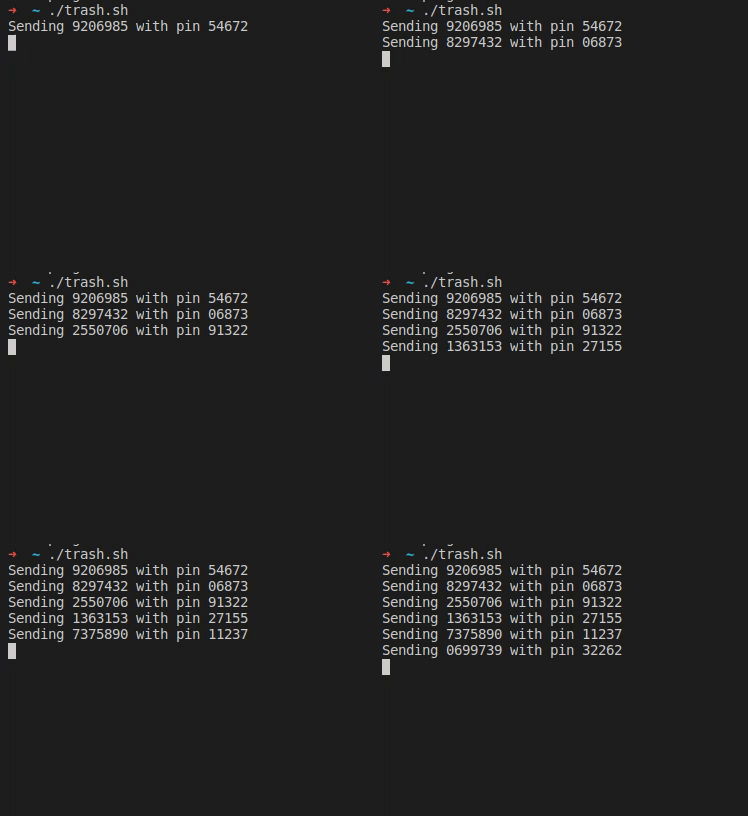
After his wife received a text message from “their bank”, [Christian] took a closer look at the URL it was pointing to, and found your typical copy of the real login form at a slightly misspelled address. As the usual goal is to steal the victim’s credentials, he simply wrote a shell script that sends random generated account numbers and PINs for all eternity via cURL, potentially lowering any value the attackers could get from their attempt.

As the form fields limit the input length of the account number and PIN, he eventually wondered if the server side will do the same, or whether it would crash if longer data is sent to it. Sadly, he’ll never know, because after he modified the script, the site itself returned a 404 and had disappeared.

In the quest against phishing attacks, this should count as a success, but as [Christian] seemed to enjoy himself, he yearned for more and decided to take a look at a similar attempt he saw mentioned earlier on Reddit. Despite targeting the same bank, the server-side implementation was more sophisticated, hinting at a different attack, and he definitely got his money worth this time — but we don’t want to give it all away here.

Rest assured, [Christian Haschek] continues the good fight, whether by annoying attackers as he did with ZIP-bombing random WordPress login attempts or battling child pornography with a Raspberry Pi cluster. Well, unless he’s busy hunting down an unidentified device hooked up in his own network.

(Banner image by Tumisu)

source https://hackaday.com/2020/08/16/give-a-man-a-phish-and-you-entertain-him-for-a-day/